To connect BnCheck to SES Hospedajes, prepare your Entity Code, web-services credentials and Establishment Code. The assistant organises them into landlord and property stages. Setup time depends on whether these details are already available.
Before starting: official registration and credentials
Check that the operator and establishment are registered with SES. Creating a BnCheck account does not complete official registration or issue a digital certificate. Start from the official Ministry page.
| Item | Purpose | BnCheck field |
|---|---|---|
| Entity Code | Identifies the operator registered with SES. | Landlord Code. |
| Web-services username and password | Enable the technical connection for communications. | The landlord’s web-services fields. |
| Establishment Code | Identifies the property registered with SES. | Apartment Code. |
Web-services credentials are different from your personal platform password. BnCheck does not ask you to import your digital certificate’s private key.
Set up the connection with your SES details
Create your account and prepare the Entity Code, web-services credentials and Establishment Code to follow BnCheck’s assistant.
Create accountStep 1: configure the landlord and SES connection
After account creation, the assistant separates the landlord from the property.
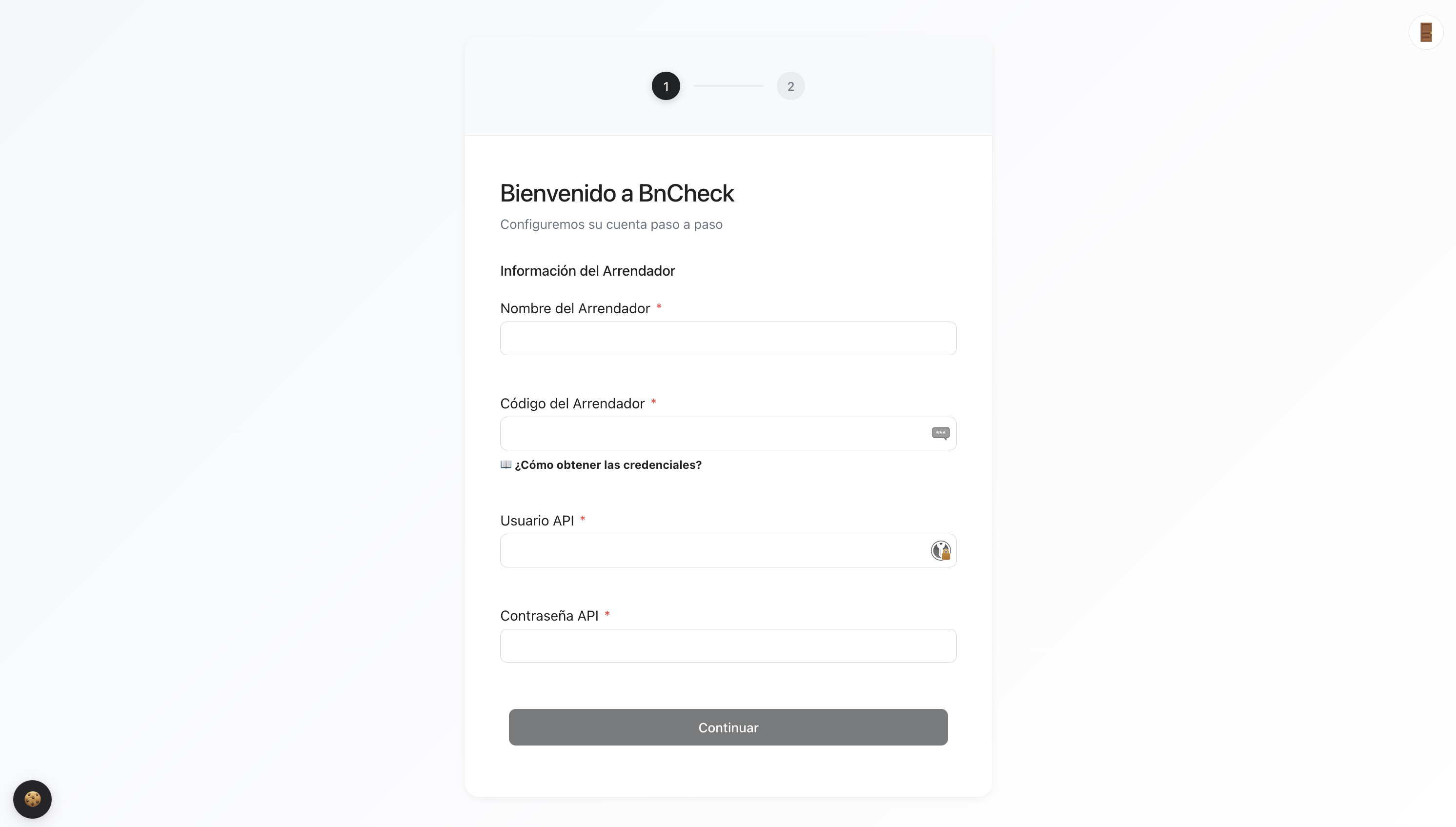
- Enter a Landlord Name to identify the operator.
- Enter the SES Entity Code in Landlord Code.
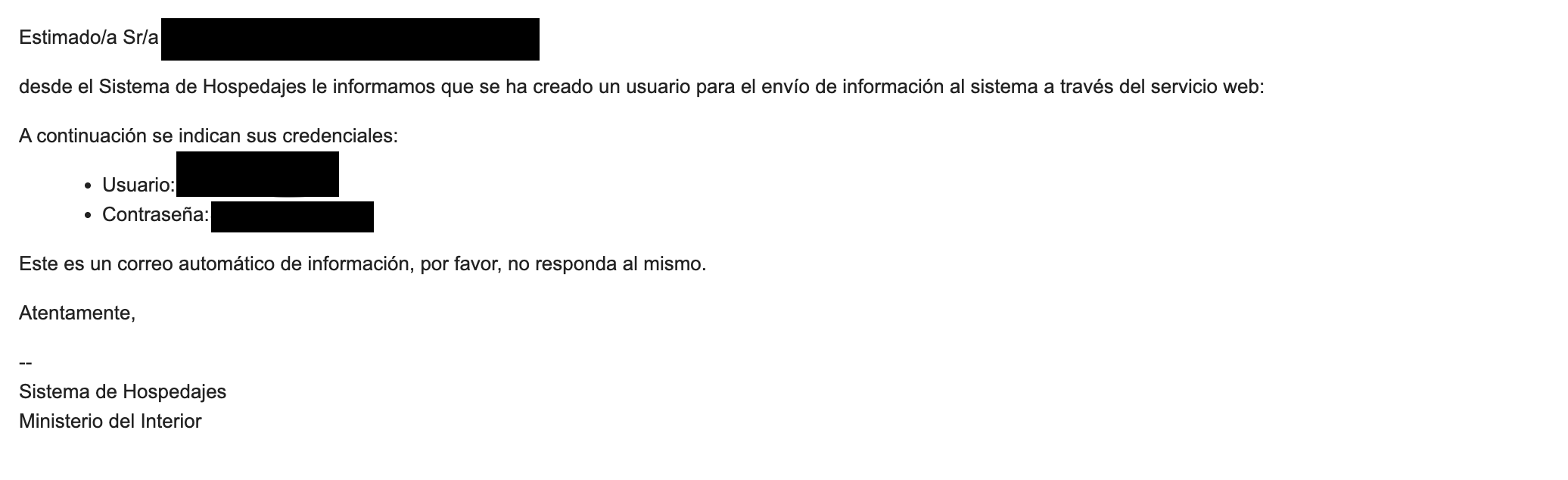
- Complete Web Services Username and Web Services Password for that entity.
Find the details in SES Hospedajes
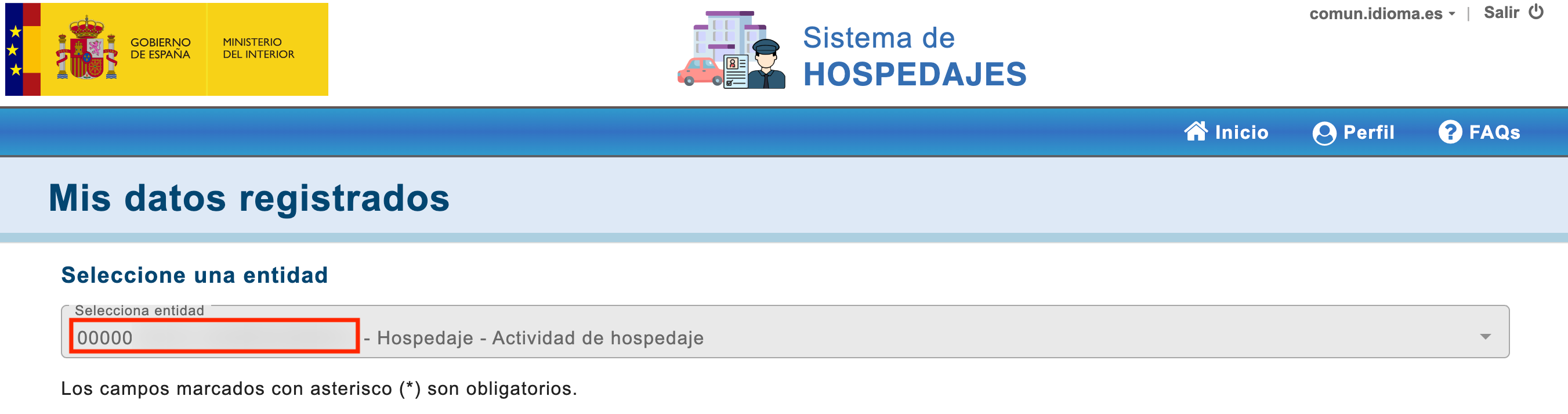
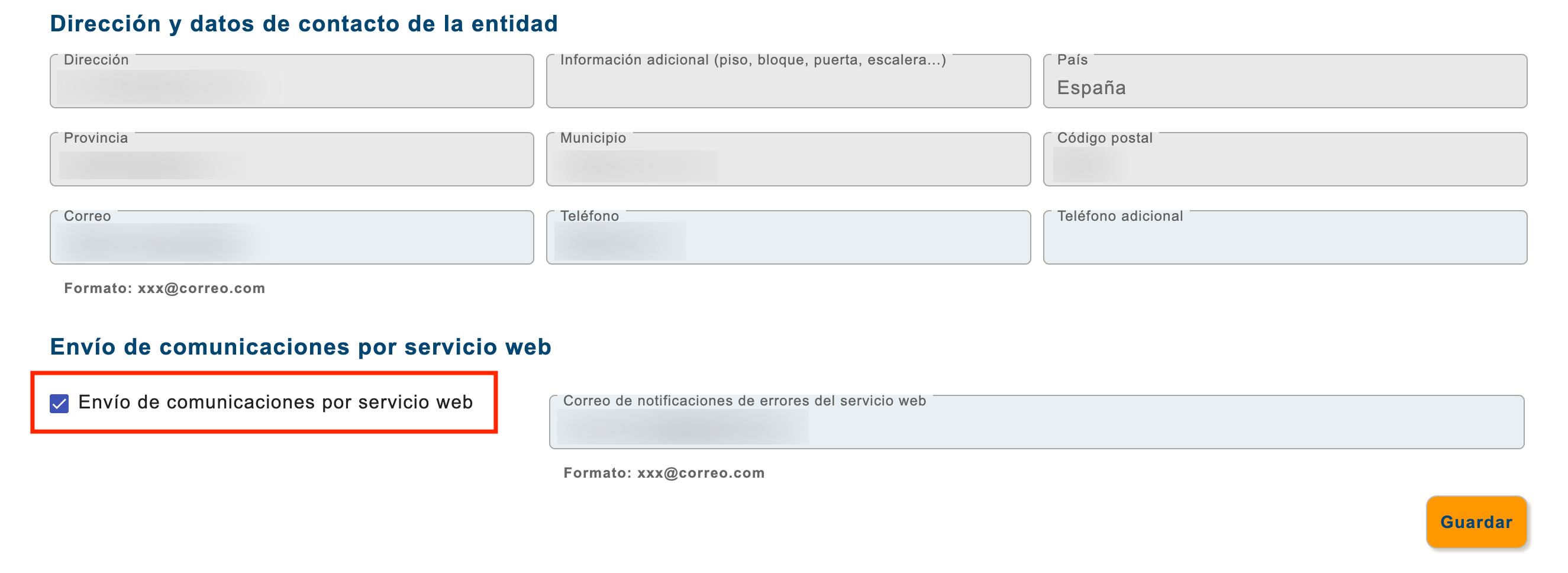
In the official platform, use “Mis datos registrados” to find the Entity Code and configure “Envío de comunicaciones por servicio web”. Check the entity’s email for credentials. To recover or change the technical password, follow section 9 of the Ministry’s visual guide.
Step 2: associate the property
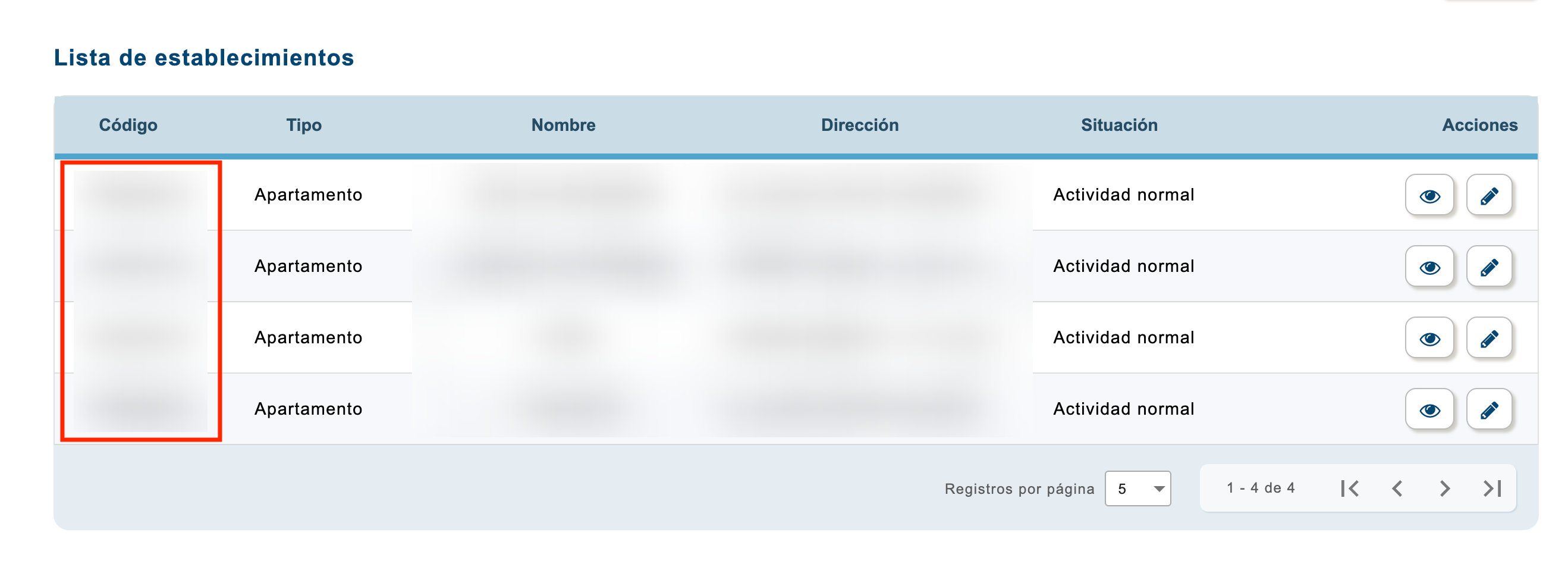
Once the first stage is validated, complete Apartment Name, Apartment Code, Address and Landlord. Apartment Code is the SES Establishment Code.
The establishment must belong to the configured entity. Do not use another property’s code or an internal Airbnb or Booking reference. Section 5 of the official guide covers finding the Establishment Code.
My property is registered: where do I add guests?
Initial registration identifies the operator and property; it does not register every stay’s guests. You can report directly through the official portal using section 12, Registro de huéspedes, or use a connected tool.
In BnCheck, create or locate the booking for the correct property, check dates and traveller count, and share its check-in link. Guests complete the form; you review received details and confirm guest-report submission. Check the SES response rather than only whether the form is complete.
Checks before the first submission
- Entity and establishment match the property.
- The link opens the correct stay and includes the relevant travellers.
- Documents, dates and required signatures have been reviewed.
- You understand the SES result and can deal with a rejection.
You can check the link and fields before using a real booking. Do not send invented guest details to SES as a test. If setup fails, check credentials and codes before recreating the property.
Can I automate delivery of the check-in link?
BnCheck supports booking-specific links. If using automatic Airbnb or Booking messages, follow the dynamic links guide and verify each channel’s message template before enabling it.
Is reporting the guest’s arrival enough?
Do not equate completing the form with every reporting obligation. Article 6.3 of RD 933/2021 distinguishes booking, contract formalisation or cancellation from service commencement, requiring immediate communication within a maximum of 24 hours for the relevant event. Check which communications apply rather than assuming software setup covers every event automatically.
Compare plan features and limits for your property count and the people managing them.
Sources and scope
Reviewed on 1 October 2026.