
If you manage short-term rentals, you already know where time is lost: copying links, editing reservation data, and sending messages manually. This workflow can be automated without changing your daily operation.
With BnCheck, the check-in link is completed with live reservation data when Airbnb or Booking sends the scheduled message.
Start automating today
Create your account and copy your dynamic link in under 5 minutes.
Create accountWhy automate check-in links
Automation removes repetitive tasks. Your team no longer edits each reservation by hand, and guests receive a correct link at the exact timing defined in your templates.
How to get your dynamic link in BnCheck
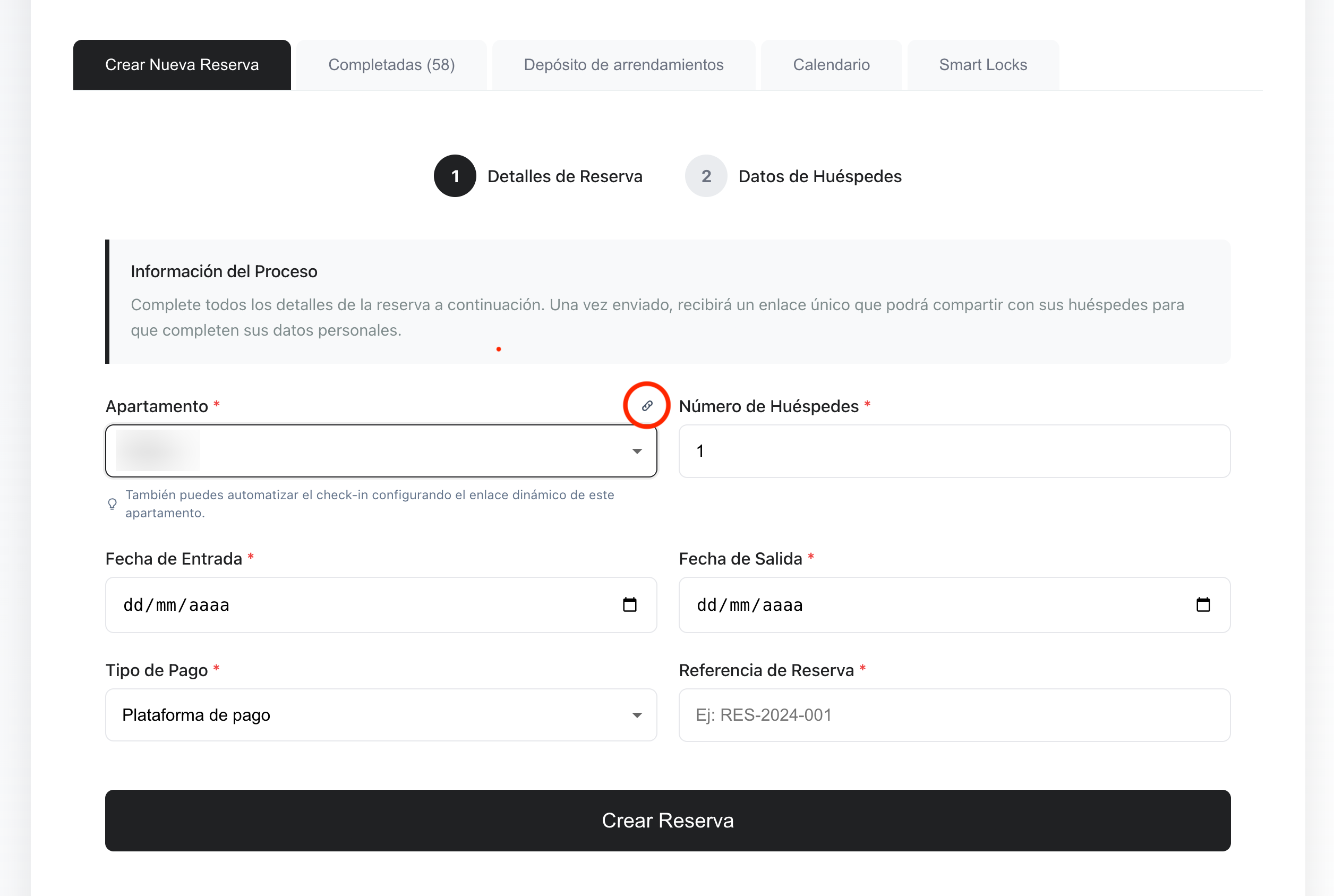
Open BnCheck and select an apartment. You will find the apartment dynamic link:
https://bncheck.com/guest?reference={reference}&apartment_ref=xxx&num-guest={num-guest}What to do:
- Copy the link from the selected apartment.
- Paste the link into Airbnb and Booking message templates.
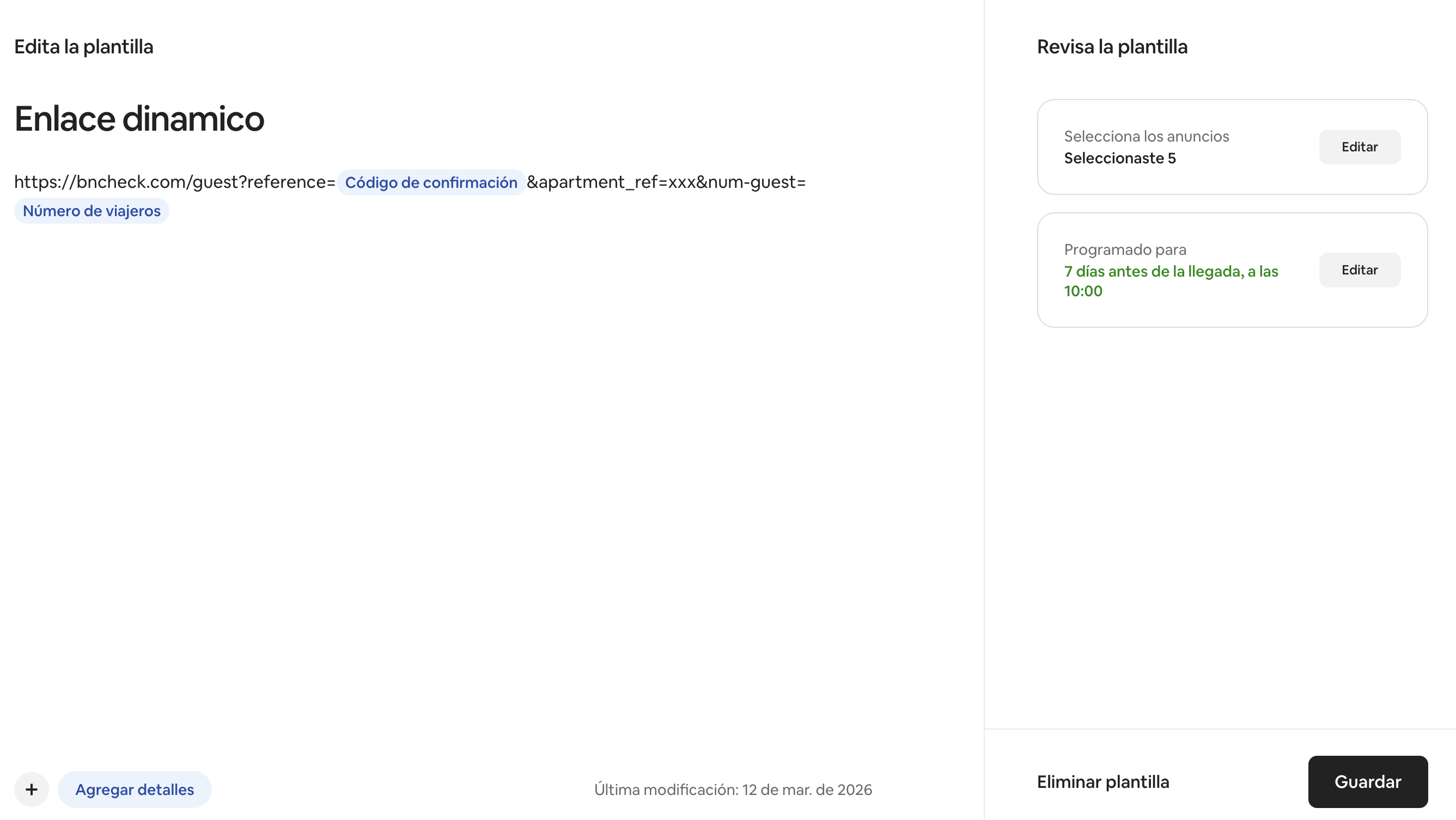
Set up scheduled messages in Airbnb
Go to Inbox > Scheduled messages and create a template.
- Paste the BnCheck link in the message body.
- Replace
{reference}with the short code Confirmation code. - Replace
{num-guest}with the short code Number of guests. - Choose the trigger (for example, when booking is confirmed) and save.
Set up templates in Booking.com
In Extranet, open Property > Messaging preferences and create a new template.
The reference number and the number of guests are optional but recommended. Some platforms may not provide this information when automating links, so it is possible to generate a link without these parameters.
- Paste the BnCheck link.
- Replace
{reference}with the Booking reference number tag if Booking provides it. - Replace
{num-guest}with the Number of guests tag if Booking provides it. - Enable automatic sending for the moment you prefer.
Manage bookings and check-in in one place
Template automation reduces errors and speeds up guest registration.
Open bookings panelWith this setup, guests receive a complete check-in link without manual editing for each reservation.