One of the most common SES guest registration errors appears when guest data contains incorrect values. In many cases, the issue is not the submission itself but the quality of the information entered before the report is sent.
This usually happens when a guest types unusual characters into a name or surname field, or when the value does not match the actual document data. SES does not clearly explain which characters are accepted in every field, but in practice special characters can cause the system to reject the report.
What to review before fixing the error
Before editing anything, the first step is to confirm whether the guest data is actually correct. Many SES errors come from manual input mistakes during check-in rather than from the platform itself.
The review should focus on:
- First surname and second surname: confirm that both match the identity document.
- Special characters: check whether any unusual symbols were used.
- Overall consistency: verify that the field does not contain typing mistakes or accidental extra text.
Atomate SES check-in
Automate guest registration check-ins in Spain and save hours doing manual entries.
Create a BnCheck AccountWhy SES may reject this type of data
SES does not always specify which characters are valid, and its own interface does not make those limits obvious either. When an error points to incorrect data, one of the first checks should be whether the field includes a symbol that the system does not accept.
This is especially relevant in surname fields containing brackets, unexpected punctuation marks, or other non-standard symbols. Even if the collection form allowed the value, that does not mean the final report will be processed successfully.
How to fix an SES error step by step
If the report was already sent and failed, the correction can be made directly inside SES.
- Open SES.
- Go to My communications.
- Select the relevant apartment.
- Click Search.
- Locate the guest registration report that was not sent correctly.
- Edit the incorrect field.
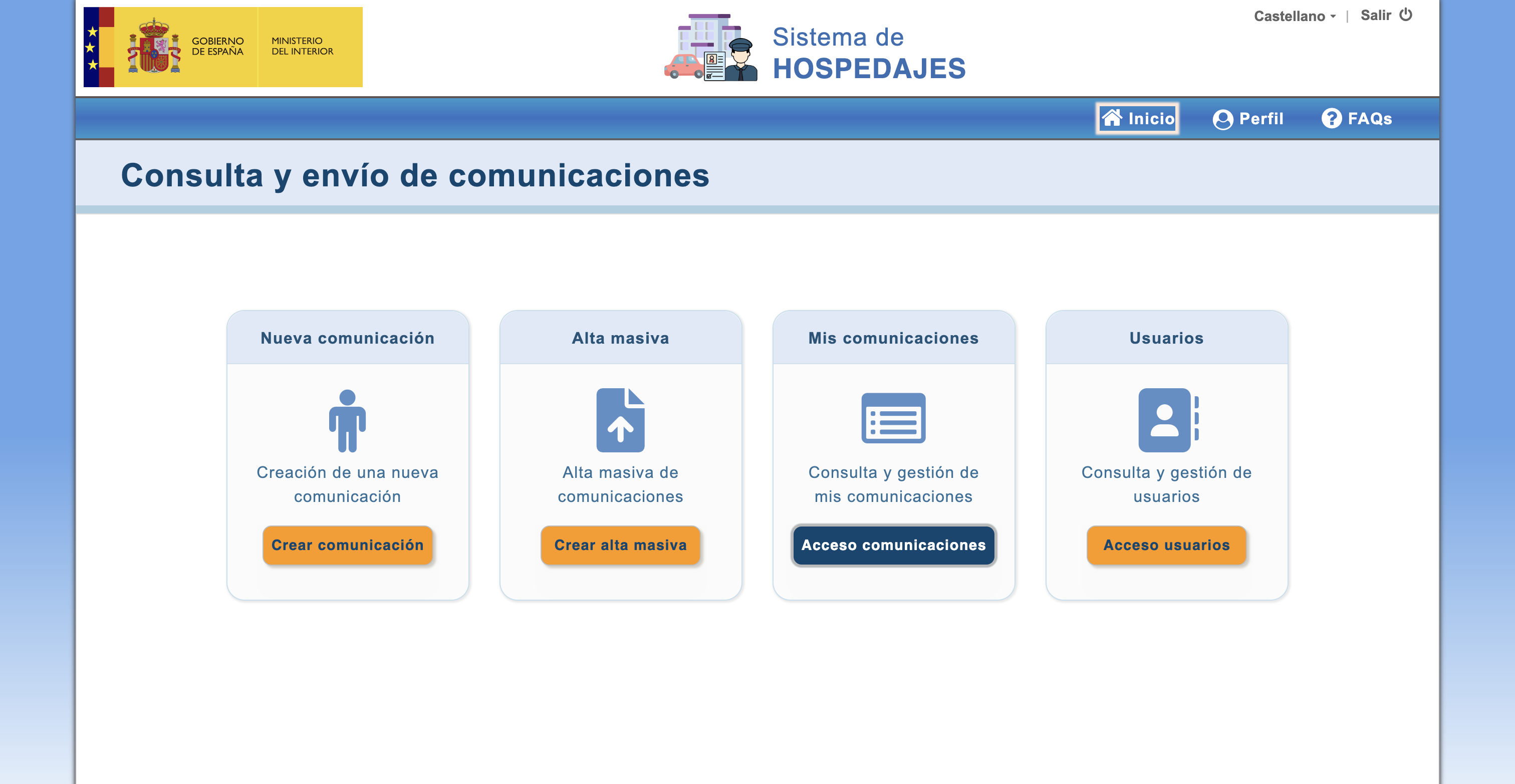
Once the problematic value is corrected, the report can be reviewed again and processed with the updated data.
How to prevent the same issue in the future
The most effective way to reduce this type of SES error is to add validation rules at the point where guest data is collected. If the system blocks problematic characters before submission, the number of failed reports drops and manual corrections become less frequent.
That is why it makes sense to add stricter validation rules for sensitive fields such as first name and surnames when these cases appear.
What to do when SES reports incorrect data
The right order is straightforward: first review the guest data, then correct the failed report in My communications inside SES, and finally reinforce input validation so the same case does not happen again.
In most of these incidents, the real issue is not the transmission itself. It is the original data quality.